NSFW images · Reference editing
AI Image Editors That Allow NSFW: Reference Editing Compared
Compare how each editor handles an existing image, then inspect what changed and what stayed recognizable in an actual SayAll edit.
Compare uploaded references and existing generations
AI image editors that allow NSFW reference work differ in what you can start with. SayAll and HackAIGC document editing an uploaded reference from a prompt. OurDream documents edits to generated images and separately says it does not accept reference photo uploads.
| Editor | Documented workflow | Access to check |
|---|---|---|
| SayAll | Whole-image reference edit on Standard or Pro, both at 2K. | Registered account with 12 or 24 Credits per output. The 5-Credit daily grant alone is below the price of a reference edit. |
| HackAIGC | Upload a reference and describe what to change in Image to Image. | The pricing page lists editing with Plus. Check access to the specific editor before counting Starter requests as free edits. |
| OurDream | Edit an image you generated there. Its help center says external reference photos cannot be uploaded. | Its subscriber guide lists 10 Dreamcoins per Spark edit and 20 per Eclipse edit. Choose an editor that accepts uploads if you need to bring your own source image. |
Use a whole-image edit for a new setting, overall lighting, or a different illustration style. If you need to fix a small area without changing the rest, check whether the tool offers a mask and test how well it preserves the surrounding detail. The table reflects published features. SayAll makes one of the products and supplies the before-and-after below. The other editors were not run on this input.
Inspect one real SayAll reference edit

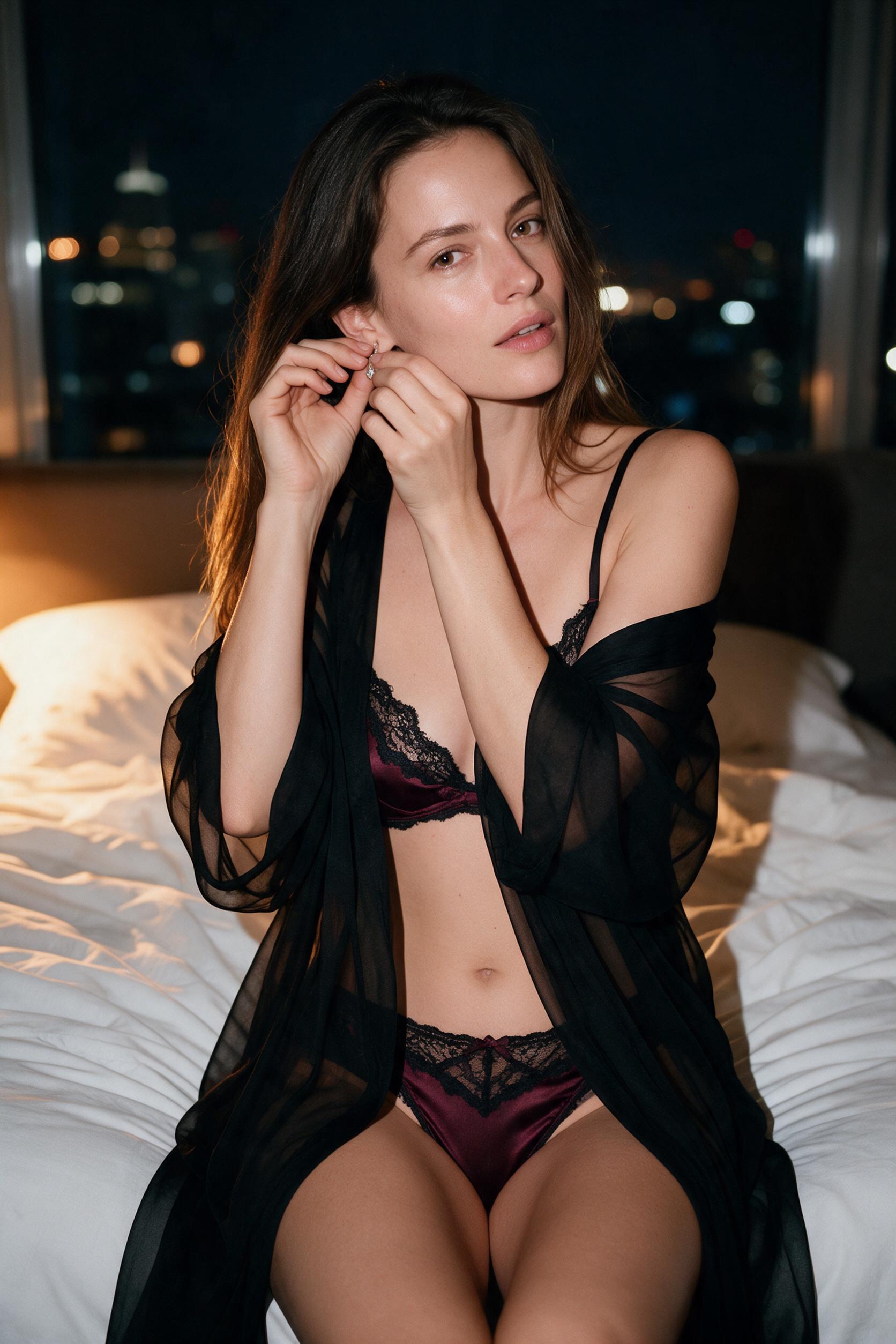
The edit brief asked to keep the adult subject's face, hair, seated pose, and hand placement while changing the wardrobe, room, and lighting. The clothing moves from black satin to burgundy and the scene takes on warm evening light. Both hands stay near the same ear, but the expression changes from a broad smile to a more neutral look. The camera crop shifts too, leaving more of the body in the output. Mark the edit as successful on wardrobe and lighting, with expression and exact framing changed. The full reference and full output make the differences easier to inspect.
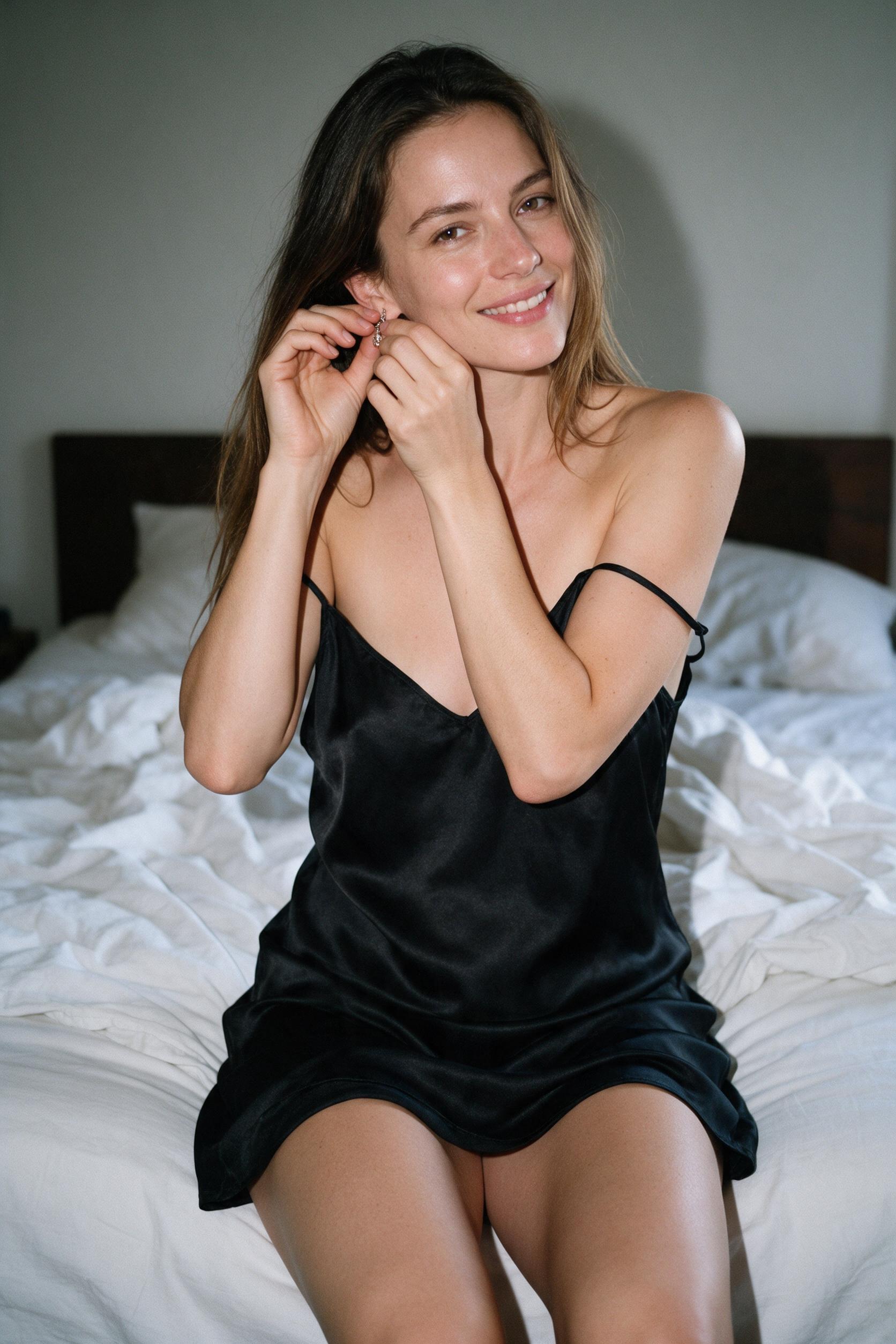
This is one real result with several changes in one brief. It cannot tell you which setting caused a specific change or how often another run will keep the same details. See the full prompt and larger images in the SayAll reference example.
Test one edit at a time and check upload handling
Use the same authorized reference for three separate runs: replace only the background, move only the light, and switch only the visual style. Keep the model and ratio fixed. For each run, state two things that must stay, such as the face and the camera angle, then compare each result with the original. Score the requested change separately from preservation.
For a background edit, inspect the boundary at the hair and shoulders. For lighting, compare the direction of the shadows. For style, check whether the person and layout remain recognizable when the texture changes. Note the cost per attempt alongside what changed.
Before uploading sensitive material, read the provider's policy for processing, retention, and deletion. A private gallery is a visibility setting. It does not tell you how uploaded files are handled. In SayAll, the finished file is saved in the browser, while your prompt and reference go to SayAll and its image provider for processing. See the image privacy policy for the distinction.
Start from a reference image
Open Images, choose a reference-capable model, and review what you want to change and preserve.
Open ImagesFAQ
Questions about this topic
Sources
Sources and references
Editorial note
How this guide is maintained
The SayAll Product Team reviews product-specific statements against the current application and dates the latest check. Category guidance is educational rather than a promise that every model response will behave in a particular way.
Found an error or a product fact that changed? Email support@sayall.ai.